Product Capabilities

Features

Everything you need to search, analyze, and manage your files – powered by AI, protected by design.

Multimedia Intelligence

Video & Audio Analysis

Search inside video and audio files using AI. Whether you need to locate a scene in a video or a phrase in a podcast, LumiFind handles it – all locally.

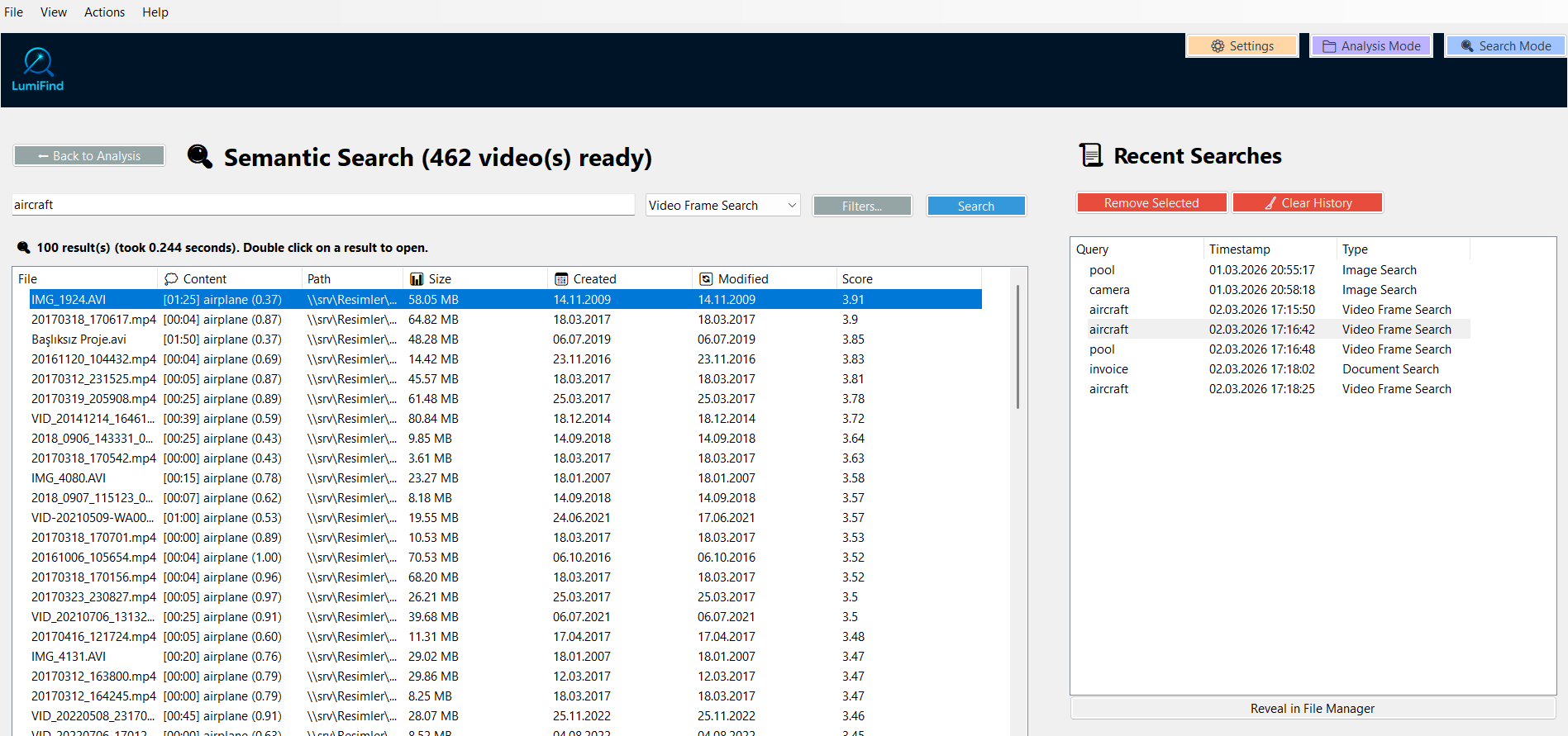
  • Frame Detector – Detect objects and scenes in video frames. Uses OpenCV SSD COCO (80 object classes) by default, fully customizable. (v1.2)
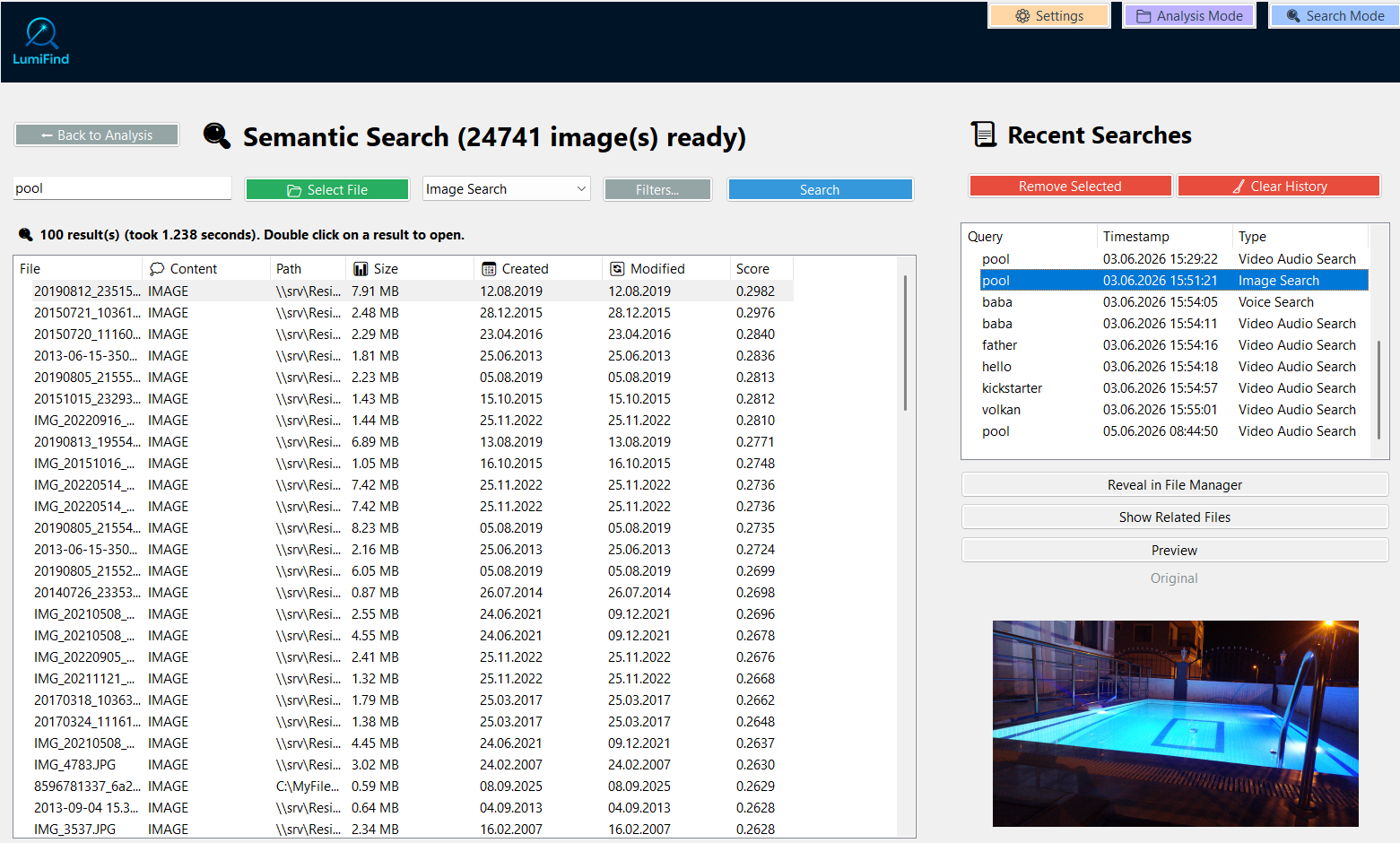
  • Semantic frame search – Searching "ship" also finds "boat". Works across languages with multilingual models.
  • Voice & speech transcription – Extract and search spoken content from audio and video files with precise timestamps.
  • Set detection language – Choose the language for voice and video audio detection for faster and more accurate results. (v1.4)
  • Configurable intervals – Adjust frame check frequency and audio segmentation via Settings.
Semantic Search Screenshot
Edition Comparison

Compare Editions

Find the right plan for your workflow.

Feature Document
€59 €74
Pro
€89 €109
Family Pro
€159 €269
Team Pro
€499
Enterprise
Devices 1 1 3 10 Custom
Document & Code Search ✓ ✓ ✓ ✓ ✓
Email Search ✓ ✓ ✓ ✓ ✓
Image Search — ✓ ✓ ✓ ✓
Voice Search — ✓ ✓ ✓ ✓
Video Audio Search — ✓ ✓ ✓ ✓
Video Frame Detector — ✓ ✓ ✓ ✓
File Watcher ✓ ✓ ✓ ✓ ✓
Shared Analysis — — ✓ ✓ ✓
Custom AI Models ✓ ✓ ✓ ✓ ✓
Multi-Model Search ✓ ✓ ✓ ✓ ✓
File-Based Search ✓ ✓ ✓ ✓ ✓
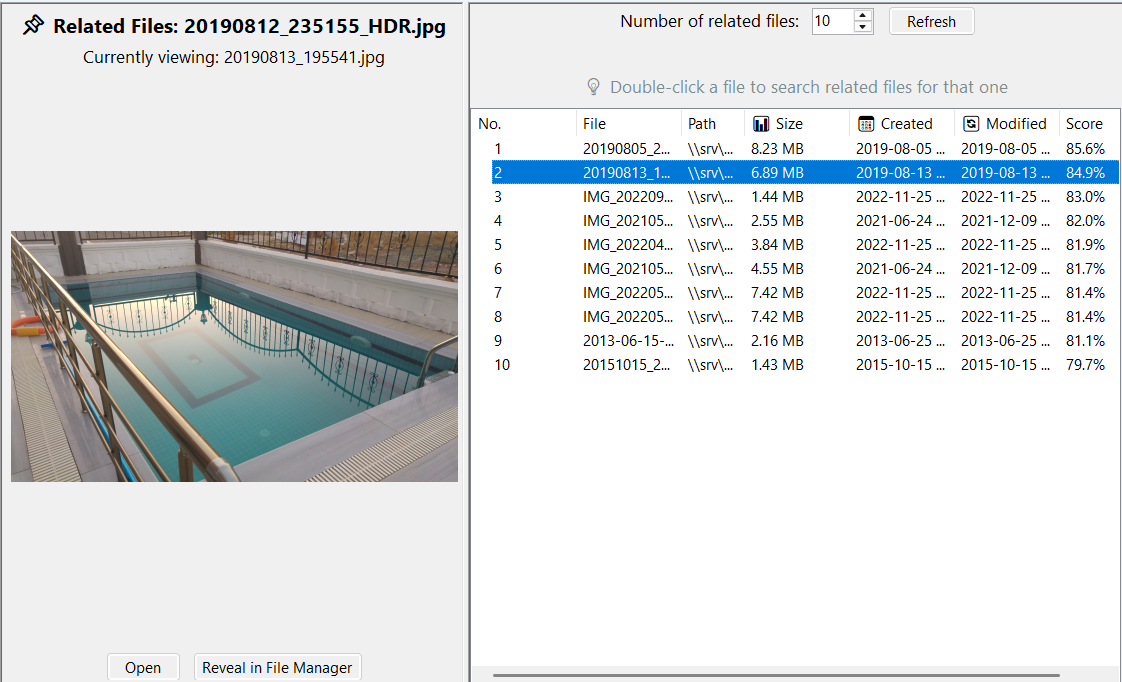
Find Related Files ✓ ✓ ✓ ✓ ✓
Export Search Results ✓ ✓ ✓ ✓ ✓
Analysis Backups ✓ ✓ ✓ ✓ ✓
Web Interface — — — — ✓
Docker Deployment — — — — ✓
GPU Acceleration Console Console Console Console ✓
SSO Integration — — — — ✓
Internal User Management — — — — ✓
Updates 1 year 1 year 1 year 1 year Custom
Support Email Email Email Priority Dedicated
Analysis Engine

Reliable, Resumable, Scalable

Designed for terabyte-scale archives. Index once, search forever. Every feature built to keep your data safe.

Incremental Updates

Only new or changed files are analyzed. Moved or renamed files are detected automatically – no wasted processing.

Checkpoint System

Progress saved periodically (default: every 50 files). If anything interrupts the process, resume from the last checkpoint. (v1.4)

Full Backups

Create complete backups of your analysis database with optional thumbnails. Migrate to a new machine or restore with confidence. (v1.4)

Pause & Resume

Pause long-running analysis and resume later without losing progress. Full control over system resources. (v1.3)

File Watcher

Monitor selected folders for new, modified, or deleted files. Automatic re-indexing at configurable intervals (default: 60 s). (v1.2)

Shared Analysis

Share analysis data across devices and users. Read-only mode prevents accidental modifications. Available in all editions. (v1.4)

Export Search Results

Export your search results to CSV, TXT or HTML. Perfect for reporting, sharing with colleagues, or further analysis. (v1.5)

EXIF & GPS Indexing

Photos are indexed by city, country (resolved from GPS) and camera model/lens from EXIF – searchable instantly. (v1.6)

Bring Your Own Model

Use any Hugging Face model – including private ones with token authentication. Pick the model that fits your data best.

Privacy & Security

Your Data Never Leaves Your Device

Privacy isn't a feature – it's the architecture. LumiFind was designed from the ground up to keep everything local. Here's what that means in practice.

  • 100% offline processing – All AI models run locally. No cloud APIs, no external calls during search or analysis.
  • No telemetry or tracking – Only update checks and anonymous license validation use the network.
  • Thumbnail privacy controls – Choose whether to generate, display, or use preview thumbnails. Full control.
  • Excluded folders – Sensitive directories can be permanently excluded from indexing and monitoring.
  • Configurable storage – All internal storage paths can be changed through Settings. (v1.4)

Zero Cloud

We don't have cloud servers to store your data. That is the point.

0
Cloud uploads
0
Data shared
0
3rd party access
Platform & Customization

Works Everywhere. Configurable for Everything.

From a single laptop to multi-device team deployments – LumiFind adapts to your environment.

Windows 10+

Auto-updater included

macOS 11+

Apple Silicon native

Linux

Ubuntu 20.04+

🐳

Docker

Enterprise deployment

Custom AI Models

Bring your own Hugging Face models – including private ones with token authentication. Choose the model that fits your data best.

Fine-Tune Controls

Advanced mode reveals indexing and search tuning parameters. Fine-tune scoring, similarity thresholds, and more.

Keyboard Shortcuts

F1 Docs · F2 Analysis · F3 Search · Ctrl+E Quick Search · Ctrl+1..5 switch search types. Navigate without touching the mouse.

Console Mode

Run LumiFind from the command line on Linux and macOS. Headless operation with API mode support for integration.

Auto Updates

Get notified of new releases across all platforms. Windows auto-updater downloads only changed files for minimal disruption.

Localization

UI available in multiple languages including English (US/UK), German, Turkish, Dutch, Italian, Mandarin Chinese, and more.

Supported File Formats

New formats added regularly based on user feedback.

📄 Documents

PDF, DOC, DOCX, PPT, PPTX, XLS, XLSX, TXT, MD, RTF, ODT, EPUB, HTML

🖼️ Images

JPG, PNG, JPEG

🎵 Audio

MP3, WAV, FLAC, OGG, M4A, AAC, OPUS, WMA, AIFF

🎬 Video

MP4, MKV, AVI, MOV, WEBM, FLV, WMV, MPEG, MPG, M4V, 3GP

📧 Emails

EML, MSG – including attachment analysis

📦 Archives & Code

ZIP, TGZ, plus all common source code file types

LumiFind vs The Rest

Pick a tool to compare side-by-side with LumiFind.

Capability LumiFind Everything DocFetcher AnyTXT Copernic Cloud AI Search OS Built-in
Searches File Contents✅ Yes⚠️ Content (slow/manual)✅ Yes✅ Yes✅ Yes✅ Yes⚠️ Limited
Filename Search✅ Yes✅ Instant✅ Yes✅ Yes✅ Yes⚠️ Limited✅ Yes
AI Semantic Search✅ Yes❌ No❌ Keywords only❌ Keywords only⚠️ Via cloud AI add-on✅ Yes❌ No
Office Format Support✅ 13+ formats⚠️ Via IFilters✅ Word, Excel, PDF✅ Most office✅ Wide range⚠️ Varies⚠️ Limited
Content Example✅ Yes❌ No⚠️ Basic⚠️ Basic✅ Yes✅ Yes❌ No
File-Based Search✅ Yes❌ No❌ No❌ No❌ No❌ No❌ No
Related File Search✅ Yes❌ No❌ No❌ No❌ No❌ No❌ No
Custom AI Models✅ Hugging Face❌ N/A❌ N/A❌ N/A⚠️ Gemini/OpenAI only❌ Locked❌ N/A
Data Privacy✅ 100% Local✅ Offline✅ Offline✅ Offline⚠️ Cloud for AI queries❌ Cloud⚠️ Mixed
Multilingual✅ 100+ langs⚠️ Limited⚠️ Limited⚠️ Limited⚠️ Limited⚠️ Limited❌ No
Video Frame Search✅ Built-in❌ No❌ No❌ No❌ No❌ No❌ No
Audio Transcription✅ Local❌ No❌ No❌ No✅ Via AI add-on✅ Cloud❌ No
EXIF / GPS Photo Search✅ City, country, camera⚠️ Coords only⚠️ Basic EXIF❌ No⚠️ Basic EXIF⚠️ Location only⚠️ Photos app only
Network & Cloud Drives✅ Yes✅ Yes⚠️ Manual folders⚠️ Windows only✅ Yes⚠️ Own only⚠️ Limited
Pricing Model✅ One-time✅ Free✅ Free (OSS)✅ Free❌ ~$29/yr❌ Subscription✅ Free

Everything is unbeatable for instant filename lookup — pair it with LumiFind when you need to search inside documents by meaning, not just name.

System Requirements

Minimum

  • 4 GB RAM
  • 2 GB storage
  • Dual-core CPU
  • 1366 × 768 display
  • Windows 10+ / macOS 11+ / Ubuntu 20.04+

Recommended

  • 8 GB RAM
  • 5 GB storage
  • Quad-core CPU
  • 1920 × 1080+ display
  • Windows 11+ / macOS 13+ / Ubuntu 22.04+

Ready to Try It?

Get started with a 5-day Pro trial or choose the edition that fits your workflow.